The Short Version: A slow ceiling fan is typically caused by a failing capacitor, excessive dust buildup on the blades, or the use of an incompatible wall control switch. Other factors include loose connections, physical friction from misalignment, or worn motor bearings.
When you flip the switch on a hot day, you expect a refreshing breeze. If you find yourself asking, Why is my ceiling fan so slow, you are likely dealing with a performance issue that stems from either a simple maintenance oversight or a failing internal component. Most homeowners assume a slow fan is simply nearing the end of its life, but in many cases, the problem is fixable with a bit of targeted troubleshooting.
Understanding why your fan has lost its momentum requires looking at how the motor, capacitor, and control systems interact. Whether the fan is struggling to reach full speed or has suddenly lost its high-speed setting, identifying the root cause allows you to decide whether a quick adjustment or a replacement is the most practical path forward.
In many instances, the solution is straightforward, involving nothing more than a cleaning cloth or a minor adjustment to your wall controls. However, when the issue persists, it is important to systematically evaluate the mechanical and electrical health of the unit to avoid unnecessary replacement costs.
Common Factors Behind Sluggish Ceiling Fan Performance
The most frequent reason for a slow-moving fan is a failing capacitor. This small, cylindrical component is responsible for providing the initial jolt of energy to start the motor and maintaining the current required for higher speeds. Over time, capacitors degrade, leading to a noticeable drop in RPMs even when the wall control is set to the highest level. If your fan hums but barely turns, or if it takes a long time to reach speed, the capacitor is the primary suspect.
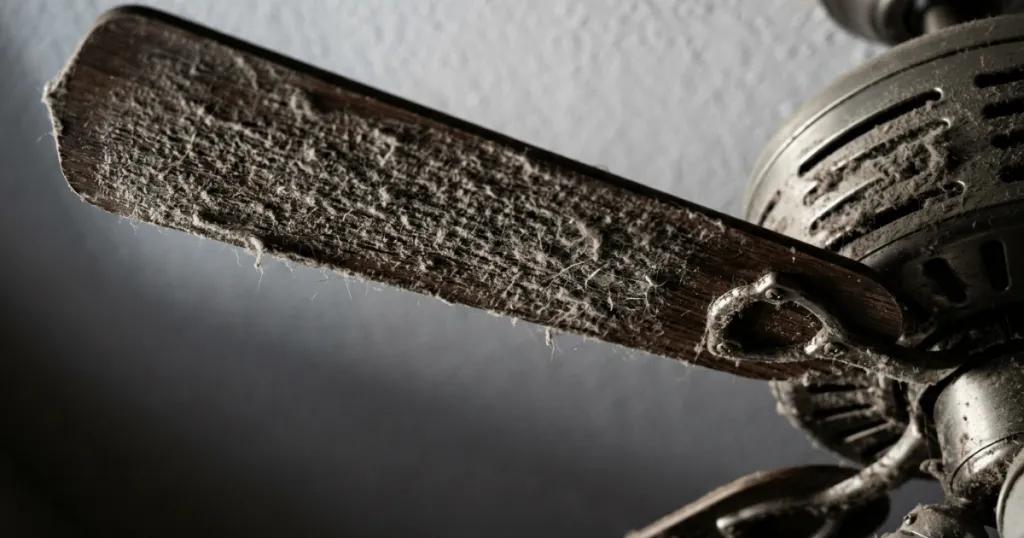
Accumulated dust and debris on the fan blades can also create significant drag. While it might seem minor, a heavy layer of dust changes the aerodynamics of the blade, forcing the motor to work harder to move the same volume of air. This is especially common in humid environments where dust becomes sticky and heavy. Cleaning the blades thoroughly with a damp cloth can often restore lost speed and reduce the strain on the motor.
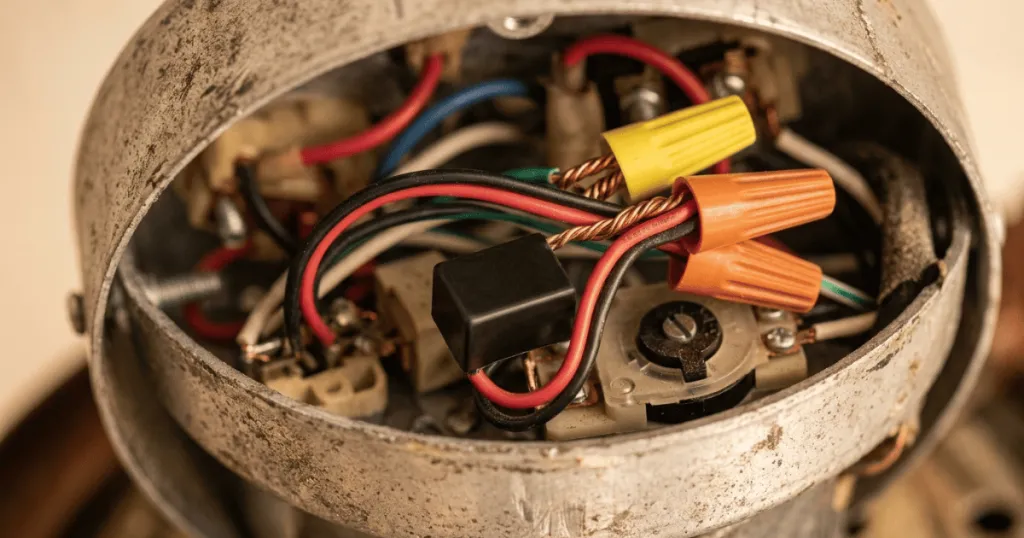
Electrical connections and control systems play a vital role in speed regulation. If you have a wall-mounted speed control or a remote receiver, these units can sometimes fail or become incompatible with the fan motor. A faulty dimmer switch, for instance, may not provide the consistent voltage required for the motor to operate at its peak. Checking the wiring at the canopy and ensuring all connections are tight is a standard first step in diagnosing electrical bottlenecks.
Beyond these primary culprits, consider the physical installation of the fan. If the canopy is loose or the mounting bracket is slightly misaligned, the motor housing may be rubbing against the ceiling or the downrod. This physical friction acts as a brake on the motor. Even a slight misalignment can introduce enough resistance to prevent the fan from reaching its rated speed. Inspect the gap between the motor housing and the ceiling to ensure there is no contact that could be impeding rotation.
Real-World Context and Operational Constraints
In practice, the age of your ceiling fan is a major factor in how you approach repairs. Older fans often use heavy, cast-iron motors that are incredibly durable but rely on older capacitor technology. If you are dealing with a vintage model, sourcing the exact replacement part can be difficult, and you may find that the cost of professional repair outweighs the value of the unit. Conversely, modern DC motor fans are highly efficient and rarely experience the same type of capacitor failure as traditional AC motor fans.
Consider the environment where the fan is installed. A fan in a kitchen or a high-humidity bathroom will accumulate grime much faster than a fan in a bedroom or living room. If you notice the fan is slow, look at the top side of the blades. If they are coated in a thick layer of dust, the motor is likely struggling against the added weight and air resistance. This is a simple fix that requires no tools, yet it is frequently overlooked by homeowners who assume the motor is burning out.
Another common scenario involves the use of improper wall controls. If you recently replaced a standard toggle switch with a dimmer switch not specifically rated for ceiling fans, you might be inadvertently choking the motor. Ceiling fan motors require a specific type of current to maintain torque. Using a standard light dimmer can cause the motor to buzz, overheat, or run at a fraction of its intended speed. Always ensure your control hardware matches the manufacturer specifications for your specific fan model.
Furthermore, voltage drops in your home electrical system can impact performance. If your fan is on a circuit shared with high-draw appliances, such as a space heater or a vacuum cleaner, you might notice the fan speed fluctuate. While this is usually a temporary issue, chronic voltage instability can stress the motor over time. If you suspect your home wiring is the culprit, monitor whether the fan speed changes when other large appliances are turned off. This helps isolate whether the problem is internal to the fan or external to your electrical panel.
Why Addressing Fan Speed Matters
Maintaining proper fan speed is not just about comfort; it is about the longevity of the appliance. A motor that is forced to run slowly due to a failing capacitor or excessive drag is prone to overheating. When a motor runs hot for extended periods, the internal windings can suffer insulation damage, which eventually leads to a complete motor failure. By addressing a slow fan early, you prevent a minor maintenance issue from becoming a total equipment loss.
Furthermore, the efficiency of your HVAC system is tied to the performance of your ceiling fans. In the summer, a properly functioning fan creates a wind-chill effect that allows you to raise your thermostat setting by several degrees without sacrificing comfort. If your fan is only spinning at half speed, it cannot provide the necessary air movement to create this effect. This forces your central air conditioning system to work harder, which increases your overall energy consumption and utility costs.
Finally, there is the matter of noise and vibration. A slow or struggling motor often exhibits an audible hum or a rhythmic clicking sound. This is usually a sign that the motor is unbalanced or that the bearings are worn. Ignoring these symptoms can lead to wobbling, which puts additional stress on the ceiling mounting bracket and the electrical box. Taking the time to troubleshoot why your fan is slow helps ensure the safety and stability of the entire installation.
Consider the long-term impact on your home environment. A fan that does not move air effectively is essentially a decorative light fixture that consumes electricity without providing the intended cooling benefit. By restoring the fan to its proper operating speed, you regain the ability to circulate air effectively throughout the room, which is particularly important in rooms with high ceilings or poor natural ventilation. This restoration of function is a key component of effective home maintenance.
Common Misconceptions About Slow Ceiling Fans
One of the most persistent myths is that a slow fan can be fixed simply by spraying lubricant into the motor housing. In reality, most modern ceiling fan motors are sealed units with permanently lubricated bearings. Adding oil to these motors can actually attract dust and cause the internal components to seize up. Unless your specific manual explicitly calls for oiling, avoid this step entirely, as it rarely solves speed issues and often causes long-term damage.
Another misconception is that the fan speed is entirely controlled by the blades themselves. Some homeowners believe that if they swap out the blades for larger or heavier decorative ones, the fan will move more air. In truth, the motor is calibrated to a specific blade pitch and weight. Using non-standard blades can put excessive load on the motor, causing it to run slower and potentially overheat. Always stick to the manufacturer-provided blades to ensure the motor operates within its design parameters.
Finally, many people assume that if a fan is slow, the only solution is to replace the entire unit. While this is sometimes necessary, it is usually the last resort. If the fan is structurally sound and the motor is not burnt out, replacing a capacitor or cleaning the blades can extend the life of the fan by several years. Before deciding to discard a slow fan, perform a basic inspection of the capacitor and the blade cleanliness to see if a simple repair is possible.
It is also worth noting that some users mistake the natural speed limits of a fan for a malfunction. If you have a large fan with long blades, it may naturally rotate at a lower RPM than a smaller, high-velocity fan. This is a design choice intended to move a large volume of air quietly. Before assuming your fan is broken, check the manufacturer documentation to see what the expected performance range is for your specific model. Comparing your fan to a similar model in another room can help you determine if the speed is truly abnormal.
Troubleshooting Steps for Homeowners
When you decide to tackle the issue, start with the easiest tasks first. Begin by turning off the power at the wall switch and, if possible, the circuit breaker. Use a damp cloth to wipe down both sides of each blade. If you see a thick buildup of dust, you have likely identified the primary source of drag. Once the blades are clean, check the blade screws to ensure they are tight. Loose blades can cause the fan to wobble, which creates unnecessary friction and slows down the motor.
Next, inspect the wall control or remote receiver. If you are using a remote, try replacing the batteries first, as a weak signal can sometimes cause the receiver to misinterpret speed commands. If you have a wall-mounted speed control, ensure that the dial or slider is moving freely and that there is no debris inside the switch housing. If the fan has a pull chain, check to see if the chain is caught or if the internal switch mechanism is sticking. Sometimes a simple shot of compressed air into the switch housing can clear out dust that is preventing the switch from making full contact.
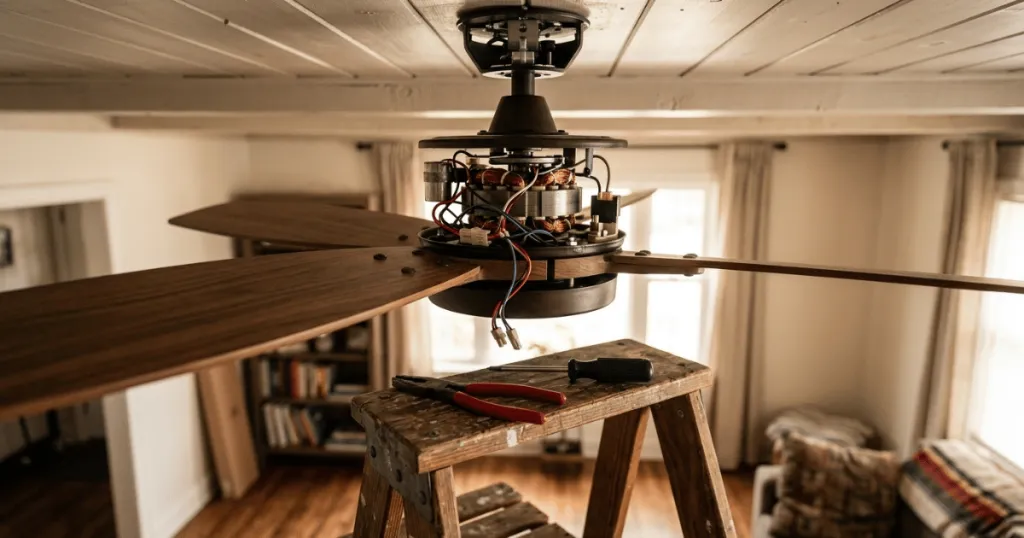
If these steps do not resolve the issue, you may need to access the capacitor. This usually involves removing the canopy at the ceiling or the switch housing at the bottom of the fan. Before touching any internal wiring, ensure the power is completely disconnected. If you are not comfortable working with electrical components, consult a professional. A capacitor replacement is a standard procedure for many electricians, and it is often much cheaper than purchasing and installing a brand new fan.
Finally, observe the motor behavior during operation. Does it start slowly and then speed up, or does it stay slow regardless of the setting? If it struggles to start, the capacitor is almost certainly the issue. If it runs at a constant, slow speed regardless of the setting, the issue may be in the speed control or the wiring. By documenting these behaviors, you provide valuable information that can help you or a technician resolve the problem quickly.
FAQ
Can a bad capacitor cause a ceiling fan to run slow?
Yes, a failing capacitor is one of the most common reasons why a ceiling fan is so slow. The capacitor provides the necessary energy to start and maintain the motor’s speed, so when it degrades, the fan will struggle to reach full RPMs.
How do I know if my ceiling fan motor is burnt out?
If the fan emits a burning smell, makes a loud grinding noise, or refuses to turn even when given a gentle manual push, the motor windings may be damaged. If the motor is hot to the touch but the fan is not spinning, it is likely time for a replacement.
Does the type of wall switch affect ceiling fan speed?
Yes. Using a standard light dimmer switch instead of a dedicated ceiling fan speed control can restrict the voltage to the motor, causing it to run slowly, buzz, or overheat. Always use a control rated specifically for ceiling fan motors.