When a ceiling fan begins to feel hot to the touch or emits a burning smell, it is a clear indication that something is wrong with its internal operation. Ceiling fan overheating is a serious concern for any homeowner because it often points to electrical strain, mechanical failure, or improper installation. While fans are designed to run for extended periods, they are not immune to the laws of physics or the wear and tear of daily use. Recognizing the signs early can help you prevent potential fire hazards and extend the life of your appliance.
If you notice your unit is running significantly hotter than usual, the most important immediate step is to turn it off at the wall switch or the circuit breaker. Attempting to run an overheated fan can lead to permanent motor damage or, in extreme cases, electrical fires. Understanding the underlying causes of this heat buildup allows you to determine whether you are dealing with a simple maintenance issue or a more complex electrical fault that requires professional intervention.
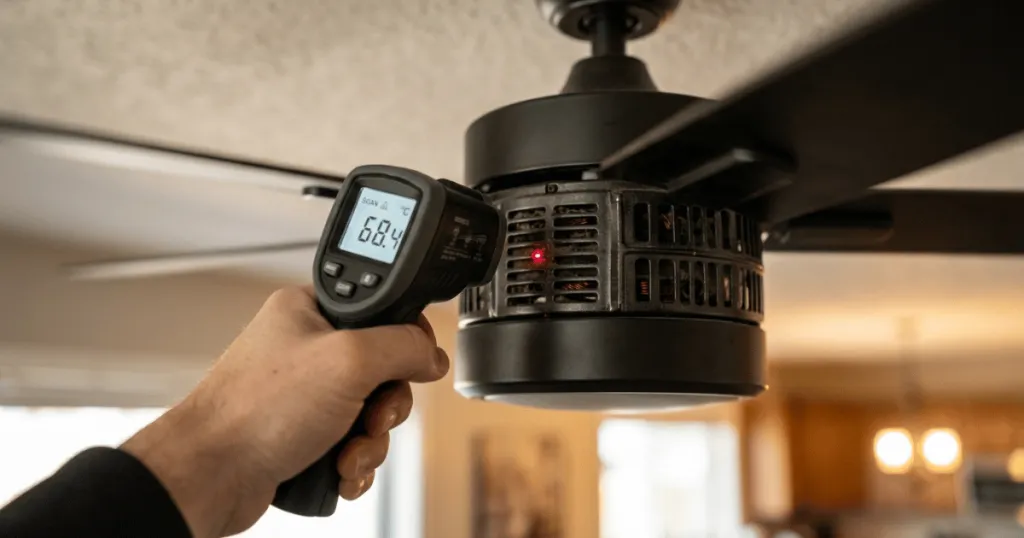
Common Causes of Ceiling Fan Overheating
Most instances of a fan motor getting too hot stem from internal resistance or external strain. When electricity flows into the motor, it creates magnetic fields that drive the rotation. If that flow is obstructed or if the motor is forced to work harder than intended, the excess energy is converted into heat rather than kinetic motion.
Internal Motor Friction and Bearing Wear
Over time, the bearings that allow the fan motor to spin smoothly can lose their lubrication or accumulate dust and debris. As these bearings wear down, they create internal friction. The motor must then consume more power to maintain its speed, which leads to a rapid increase in temperature. If you hear grinding or squeaking noises while the fan is running, this is often the culprit behind the heat buildup. In older fan models, the grease inside the bearings can harden or dry out, causing the motor to drag.
This mechanical resistance forces the electrical system to draw more current to overcome the drag, which directly contributes to the heat generated within the motor housing. If the fan blades wobble or feel loose, this can also place uneven stress on the bearings, accelerating their degradation and increasing the likelihood of overheating.
Electrical Issues and Capacitor Failure
The capacitor is a small component responsible for providing the initial jolt of energy to start the motor and maintaining a steady flow of current. If a capacitor begins to fail, the motor may struggle to start or maintain a consistent speed. This inconsistency causes the motor to draw irregular amounts of current, leading to overheating.
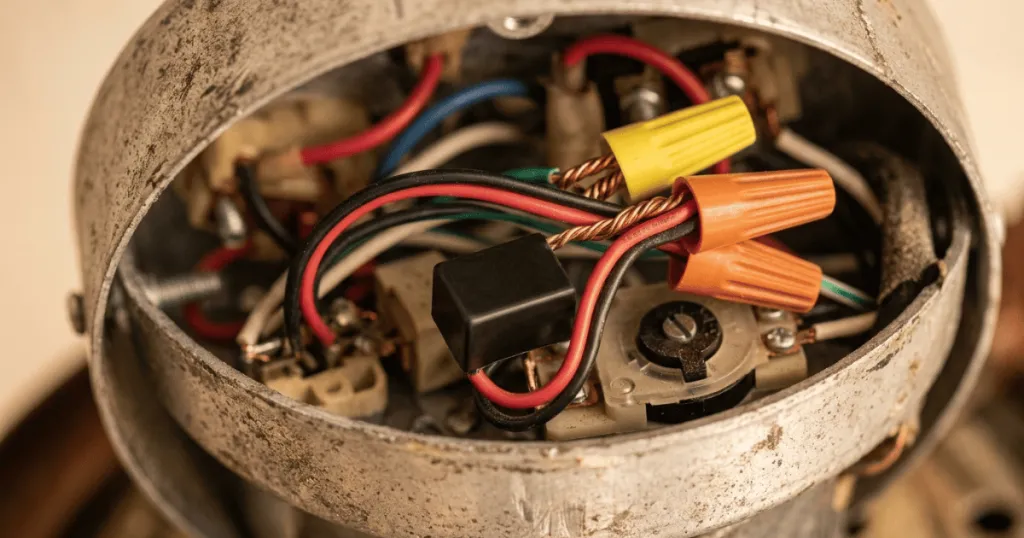
Furthermore, loose wiring connections within the fan housing can create high resistance points, which generate significant localized heat. When wires are not properly secured, the connection can arc, which creates intense heat that can melt wire insulation and potentially lead to a short circuit. Homeowners should periodically check that the wire nuts are tight and that no wires show signs of discoloration or brittleness, which are telltale signs of excessive heat exposure.
Overloading the Motor
Ceiling fans are engineered with specific weight and size limits for their blades. If a homeowner replaces standard blades with heavier, aftermarket alternatives, the motor may not be powerful enough to handle the increased load. This constant state of strain forces the motor to run at a higher temperature than its design specifications allow.
Similarly, if the fan is installed in an environment with excessive ambient heat, such as an unventilated attic space or a room with poor airflow, the motor may struggle to dissipate its own heat effectively. The motor relies on the movement of air around its housing to stay cool, so if the fan is installed in a recessed area or a room with very high ceilings where air circulation is stagnant, the heat simply has nowhere to go.
Real-World Context and Practical Examples
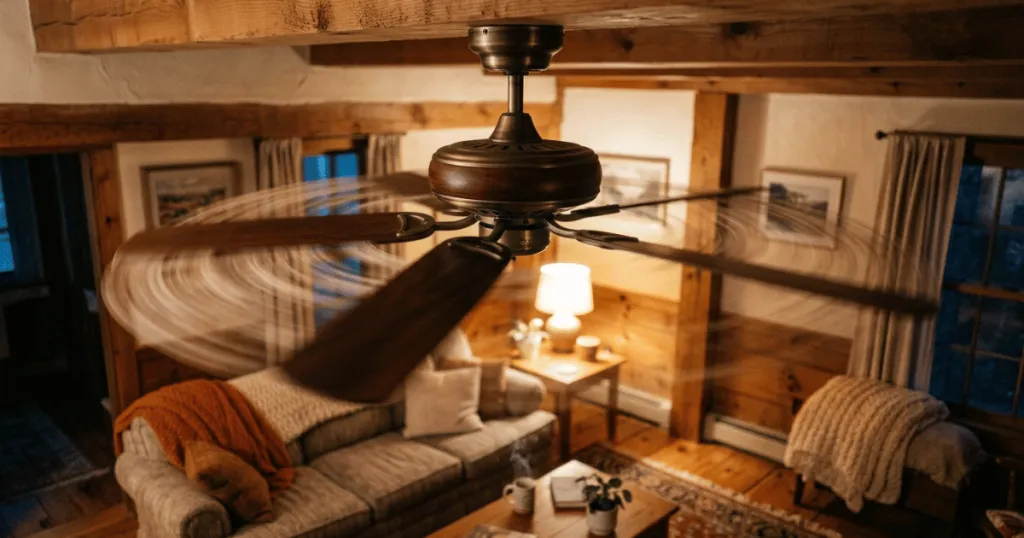
In a typical home, ceiling fans are often installed in bedrooms or living areas where they are expected to run for hours at a time. A common scenario involves a fan that has been installed for several years without any cleaning. Over time, the accumulation of dust inside the motor housing can act as an insulator, trapping heat that would otherwise dissipate into the air.
This is why regular dusting of the motor housing is not just about aesthetics; it is a vital part of basic fan maintenance. Homeowners should use a soft brush or a vacuum attachment to clear the ventilation slots at least once every season to ensure the motor can breathe.
Another practical example is the use of wall-mounted speed controllers. If an incompatible dimmer switch is used to control a ceiling fan, it can create a humming sound and cause the motor to heat up. This happens because the electrical signal from the dimmer is not clean enough for the induction motor, causing it to fight against the incoming current.
If you have recently installed a new switch and noticed the fan housing feels warm, the switch compatibility is the first thing you should verify. Always ensure that the wall control is specifically rated for ceiling fan use and not just a standard lighting dimmer, as the internal circuitry of a fan-rated control is designed to handle the inductive load of a motor.
Consider the placement of the fan as well. In a kitchen, fans are often subjected to grease and cooking vapors. These particles can settle inside the motor housing, eventually becoming sticky and attracting more dust. This buildup can eventually clog the ventilation slots designed to keep the motor cool.
If you live in a climate with high humidity, moisture can also lead to corrosion on internal components, increasing electrical resistance and contributing to the overheating problem. In these environments, more frequent inspections are necessary to ensure that the motor remains free of debris and that the electrical connections remain clean and dry.
Deep Dive: Troubleshooting and Diagnostic Steps
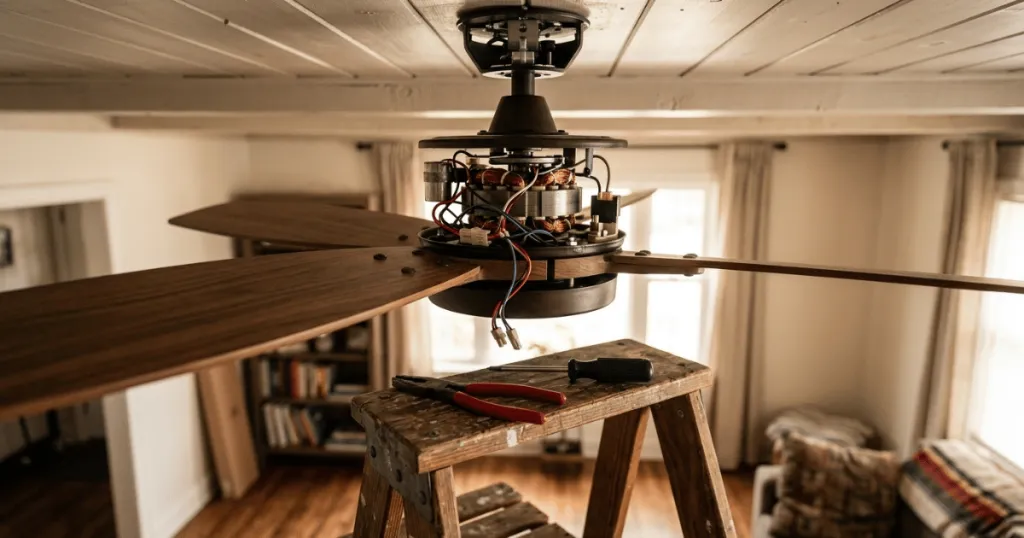
When you suspect your fan is running hot, a systematic approach is necessary to identify the root cause. Start by turning off the power at the wall switch and, for added safety, the circuit breaker. Once the fan is completely powered down, observe the motor housing. If you see signs of melting plastic, scorched paint, or blackened wiring, do not attempt to repair the unit. These are signs of a severe electrical fault that requires immediate replacement of the fan or professional repair services.
If the exterior looks normal, try spinning the blades by hand while the power is off. The blades should rotate smoothly and come to a gradual stop. If the blades feel stiff, jerky, or make a grinding noise, the issue is likely mechanical, such as worn bearings or a bent shaft. If the rotation feels smooth, the issue is likely electrical.
You can then inspect the capacitor. Many modern fans have a light kit or a canopy cover that hides the capacitor. If you are comfortable with basic electrical work, you can visually inspect the capacitor for signs of bulging or leaking fluid. A faulty capacitor is a common and relatively inexpensive part to replace, but it must be matched exactly to the original specifications regarding microfarads and voltage ratings.
Why Addressing Heat Buildup Matters
Ignoring a hot ceiling fan is a gamble with home safety. The primary reason to address this issue immediately is the prevention of electrical fires. When a motor overheats, the insulation on the internal wiring can melt, leading to short circuits. This can cause sparks or even ignite the surrounding materials, such as the ceiling drywall or wooden joists. Even if a fire does not occur, the heat can cause the plastic components of the fan to warp, leading to a permanent mechanical failure that renders the unit unusable.
From a practical standpoint, an overheated fan is also an inefficient one. It consumes more electricity to produce less airflow, which defeats the purpose of having the fan in the first place. By addressing the heat issue, you are not only protecting your home but also ensuring that your cooling solution remains cost-effective.
In many cases, a simple cleaning or the replacement of a faulty capacitor can restore the fan to its original efficiency, saving you the cost of a full replacement. Furthermore, running a fan that is struggling to spin puts unnecessary strain on your home electrical system, which can lead to tripped breakers or flickering lights in other parts of the room.
Common Misconceptions About Fan Heat
One of the most frequent misconceptions is that a fan motor should be completely cool to the touch at all times. In reality, it is normal for a fan motor to feel warm after running for several hours, especially if the ambient room temperature is already high. There is a distinct difference between a motor that is warm to the touch and one that is hot enough to cause discomfort or emit a burning odor. A healthy motor will typically operate within a specific temperature range defined by its insulation class, and as long as the heat is dissipated through the housing, the fan can function safely for years.
Another common mistake is assuming that a fan that hums is simply working hard. A humming noise is rarely normal and usually indicates an electrical issue, such as an incompatible control switch or a failing capacitor. Many people believe that as long as the blades are turning, the fan is functioning correctly. However, a fan that is struggling to spin is often in the early stages of a total motor failure. If you notice a change in the sound or the speed of your fan, it is best to treat it as a warning sign rather than a minor annoyance. Ignoring the hum often leads to a more expensive repair later on.
Finally, some homeowners believe that adding more oil to the bearings will fix any overheating issue. While some older fan models require periodic oiling, many modern ceiling fans are equipped with permanently sealed bearings. Attempting to lubricate a sealed motor can actually damage the internal components or cause electrical shorts.
Always check your specific manufacturer documentation before attempting any maintenance that involves lubricants or internal adjustments. If your fan is a vintage model that does have oil ports, use only the specific type of non-detergent oil recommended by the manufacturer, as using the wrong lubricant can attract dust and eventually cause the bearings to seize up.
Conclusion: When to Call a Professional
If you have cleaned the fan, checked for obvious obstructions, and ensured that your wall controls are compatible, but the unit continues to overheat, it is time to consult a professional electrician. Electrical work involves risks that go beyond simple DIY troubleshooting. A professional can use a multimeter to test the capacitor, inspect the internal wiring for signs of melting, and determine if the motor itself has reached the end of its functional life.
Prioritizing safety by addressing ceiling fan overheating early will ensure your home remains comfortable and secure for years to come. Do not hesitate to replace a unit that shows signs of internal motor failure, as the cost of a new fan is far lower than the potential risks associated with an electrical fire.
FAQ
Is it normal for a ceiling fan motor to feel warm?
It is normal for a motor to feel warm after extended use, but it should never be hot to the touch, smell like burning plastic, or smoke. If you cannot comfortably keep your hand on the motor housing, it is likely experiencing ceiling fan overheating.
Can a dirty ceiling fan cause it to overheat?
Yes. Dust and debris accumulation inside the motor housing can block ventilation slots and act as an insulator, trapping heat inside the motor. Regular cleaning is essential for proper heat dissipation.
Does a humming noise indicate that my fan is overheating?
A humming noise often indicates an electrical issue, such as an incompatible dimmer switch or a failing capacitor. This electrical strain can lead to increased heat, so the noise should be investigated promptly.